Project Notes window
As the name suggests, the Project Notes window is used to take free-form notes related to your current project. These notes are intended for your own reference and documentation during development.
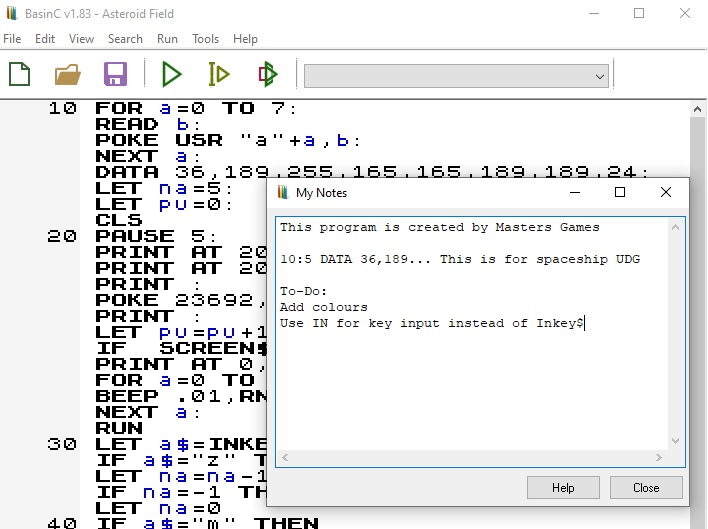
How do I take notes?
- Open the Project Notes window and enter notes freely.
- Project notes are saved together with your .BAS file and automatically restored when you reload the file.
- There is no separate save action required for notes.
Alternative method
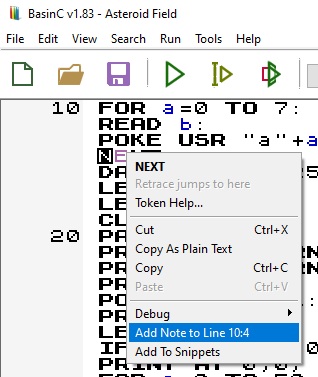
- Select at least one character from the program listing and open the right-click context menu.
- BasinC detects the target line/statement and shows an entry such as Add notes to line 20:4 (Line : Statement).
- Choosing this option opens the Project Notes window automatically, appends the selected line/statement reference to the end of the notes list, and lets you write notes for that location immediately.
A future enhancement is planned where project notes will be displayed as an overlay directly on the BasinC program listing.